
WhatsApp Business Automation: The Complete Guide for Enterprises
by Daniel Dib11 Sept 2026
Business messaging has become the channel where enterprises meet their customers. According to Juniper Research, global business messaging traffic will grow from 2 trillion messages in 2025 to nearly 3 trillion by 2030, driven by enterprise demand for conversational use cases such as commerce and customer support. WhatsApp sits at the center of that shift. The same research firm projects that over-the-top business messaging traffic will grow from 390 billion messages in 2025 to more than 560 billion by 2027, a rise attributed largely to WhatsApp.
For an enterprise, the volume is only useful if it can be handled without a proportional increase in headcount. That is the role of automation. WhatsApp Business automation lets a company send notifications, answer questions, route conversations, and run campaigns at scale, through a single API, without an agent touching every message. This guide explains what WhatsApp Business automation is, the categories it covers, the compliance foundation it rests on, and how enterprises choose a provider to run it.
Problems We Solve
The questions below are how enterprises actually search for this topic, not a generic FAQ template. Each one maps to a specific gap in how most businesses run WhatsApp today.
How Do You Stop a Flood of WhatsApp Messages From Overwhelming Your Support Team?
When a promotion, an outage, or a viral moment drives a spike in inbound WhatsApp messages, the failure mode is not the message volume itself. It is a support team trying to read and answer every one of them one at a time. Conversational automation resolves the routine share of that spike without a human touching each thread, and workflow automation applies the routing rules that decide which of the remaining conversations actually need a person. An enterprise that has not built this layer experiences the spike as a queue. One that has built it experiences the same spike as traffic the system was designed to handle.
How Do You Escalate a WhatsApp Conversation to a Human Agent Without Losing Context?
This is where most automation deployments fail, not at the bot itself. WhatsApp's Business Platform policy requires a fast, clear path from an automated conversation to a human agent, and that path only works if it carries the conversation history, the customer's data, and the reason for escalation along with it. A handoff that drops that context forces the customer to repeat themselves, which erases whatever time the automation saved in the first place. This is what workflow automation is for: deciding, in real time, when a conversation needs a person, and handing it over with everything the agent needs already attached.

Can WhatsApp Automation Handle Appointment Scheduling Without Constant Back and Forth?
Yes, when it combines transactional and conversational automation rather than relying on either alone. A booking flow needs a template-approved message to confirm the appointment, which is transactional, and a conversational layer to handle finding an available slot, rescheduling, or answering a question before the appointment happens. Healthcare and hospitality businesses tend to see the clearest results here, since a drop in no-shows is easy to measure against the automation's cost.
How Do You Know Your WhatsApp Automation Is Actually Working?
Message volume and response time are the two numbers that get quoted most often, and they are the least useful ones on their own. What matters is the deflection rate, the share of conversations a bot resolves without a human, and the escalation rate, how often the bot hands off and why. A provider's platform tooling should surface both by default, broken down by automation category, so an enterprise can see whether transactional notifications are landing on time and whether the chatbot is actually reducing load on the support team rather than just moving it around.
What WhatsApp Business Automation Means
WhatsApp Business automation is the use of the WhatsApp Business API to send and manage customer messages programmatically, without manual effort for each message. It is important to separate two things that share the WhatsApp name.
The WhatsApp Business app is a free mobile application built for small businesses. It supports light automation such as quick replies, greeting messages, and away messages, but it is operated by hand on a phone. The WhatsApp Business API, by contrast, is built for medium and large enterprises. It has no interface of its own; it is a programmable interface that connects WhatsApp to a business's own systems, and it is what makes automation at scale possible. According to Meta's developer documentation, business phone numbers can send up to 80 messages per second by default, with higher capacity available. That throughput is the difference between messaging a few customers and messaging millions.
Automation on the API is not a single feature. It is a set of capabilities that fall into four categories, and most enterprises use more than one.
The Four Categories of WhatsApp Business Automation
1. Transactional Notifications
These are the automated, event-triggered messages a customer expects to receive: a one-time password to log in, an order confirmation, a shipping update, an appointment reminder. They are triggered by an event in a business system and sent without human involvement. This is the highest-volume, highest-trust category, because customers have come to rely on these messages. Banks in particular use this category heavily for OTP delivery and transaction alerts, where speed and reliability are non-negotiable. The underlying delivery runs on A2P messaging infrastructure.
2. Conversational Automation (Chatbots)
A chatbot handles two-way conversations automatically. When a customer sends a message, the bot interprets the intent and responds, whether that is answering a common question, qualifying a sales lead, or checking an order status. The value is deflection: the bot resolves routine inquiries so human agents handle only what genuinely needs them. Meta now offers a Meta Business Agent that operates AI-powered agents on WhatsApp, handling conversations using knowledge sources a business provides, often powered by an AI-powered contact center.
A recent policy change matters here. Effective 15 January 2026, Meta prohibits general-purpose AI assistants on the WhatsApp Business Platform, the open-domain, ask-me-anything bots where the AI itself is the product. Business-scoped AI agents remain not only permitted but encouraged: automation built for a specific business function, such as customer support, sales, order tracking, or appointment booking, is exactly the intended use. A WhatsApp chatbot should be tied to a defined business outcome and keep a path to a human agent, not act as a standalone, open-ended assistant.
3. Workflow Automation
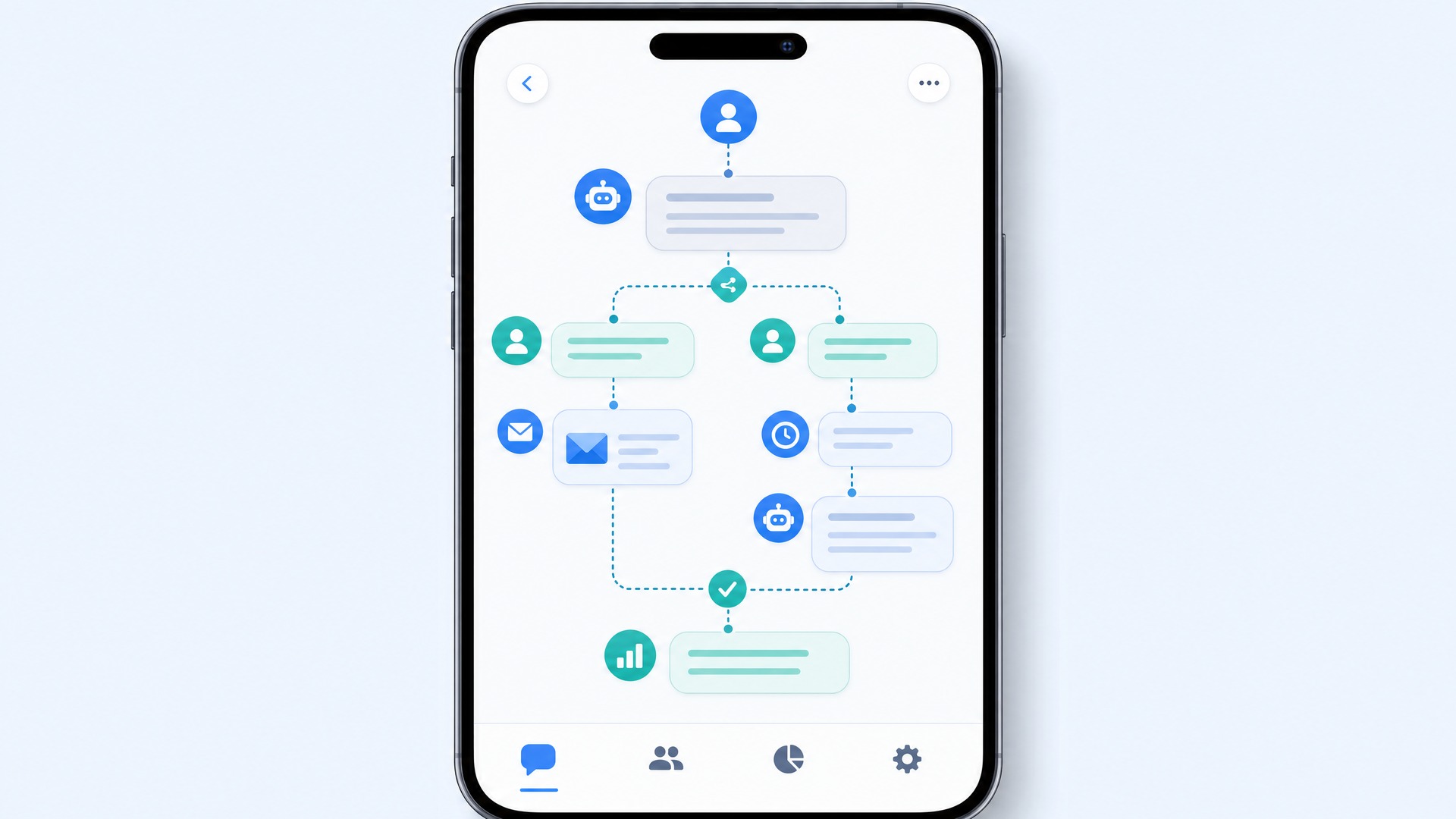
Workflow automation is the logic that sits between the message and the rest of the business. It routes a conversation to the right team, escalates from a bot to a human agent when a query is complex, assigns a follow-up task, or updates a record in another system. A well-designed workflow decides, in real time, whether an incoming message should be answered by a bot, sent to sales, or escalated to support, without anyone manually sorting messages. This logic is typically managed through a customer experience toolkit that orchestrates channels and rules in one place.
4. Broadcast Messaging
Broadcast is the outbound category: sending a single message to many opted-in recipients at once, for a promotion, an announcement, or a service update. Unlike the consumer app, which caps broadcast lists, the API supports broadcast at enterprise scale with tiered sending limits. The critical constraint on this category is consent, which applies to every category but matters most where the message is promotional.
The Compliance Foundation: Consent and Templates
Every category of WhatsApp automation rests on two rules that are not optional. Understanding them before building anything saves an enterprise from having its account restricted.
The first rule is consent. WhatsApp requires businesses to obtain explicit opt-in before sending messages and to honor opt-out requests. Consent can be collected through a web form, an app sign-up flow, or another channel, but it must be auditable. According to platform guidance, businesses must obtain opt-in before sending messages and honor opt-out requests, or risk being blocked and having their account restricted. Consent is also a data protection requirement under regulations such as GDPR and, in markets like Indonesia, UU PDP.
The second rule is templates. Messages that a business initiates, in the marketing, utility, and authentication categories, must use templates that WhatsApp approves in advance. This is what prevents the channel from filling with spam, and it is why automation on WhatsApp is structured rather than freeform. An enterprise planning automation should design its template library early, because approval is a gating step, not an afterthought.
For enterprises operating in or messaging customers in the European Union, WhatsApp's opt-in requirement sits on top of a legal one. The GDPR requires a lawful basis for processing personal data under Article 6, and where that basis is consent, Article 7 sets the conditions that consent must meet: it must be freely given, specific, informed, demonstrable, and as easy to withdraw as to give. Enterprises should map each automation category to its lawful basis and keep auditable consent records.
Compliance is not a constraint to work around. It is the reason WhatsApp remains a high-trust, high-open-rate channel. The template and consent model is what keeps the customer's inbox clean, which is what keeps the customer reading.
How Automation Looks in Different Industries
The four categories combine differently depending on the business. The most effective WhatsApp automation is not generic; it maps to the specific journey of a specific industry.
In banking and financial services, automation centers on security and account activity: OTP codes, transaction alerts, and fraud notifications, delivered with the speed that financial transactions demand. In retail and eCommerce, it centers on the purchase journey: cart recovery, order confirmations, shipping updates, and post-purchase engagement. In logistics, it follows the parcel: dispatch, in-transit, out-for-delivery, and rescheduling messages that cut inbound status inquiries. In healthcare, it manages the patient journey: appointment confirmations, reminders that reduce no-shows, and results-ready notifications, all within strict data-handling limits.
These are not the only industries that benefit, but they illustrate the principle: start from the business problem in a specific vertical, then apply the automation categories that solve it.
How Enterprises Choose an Automation Provider
The WhatsApp Business API is accessed through a provider, and the choice of provider shapes what an enterprise can reliably do. When evaluating a provider for enterprise-scale automation, the criteria that matter are:
Carrier-grade infrastructure.
Automation is only as reliable as the delivery underneath it. A provider that operates direct interconnects with mobile operators, rather than depending entirely on aggregated routes, delivers more consistently. Monty Mobile brings 25+ years of operator relationships and direct connections with 700+ MNOs across 200+ countries.
Multichannel reach.
WhatsApp is rarely the only channel. A provider that also supports SMS, RCS, and voice lets an enterprise run a fallback when a WhatsApp message does not deliver, and manage all channels through one integration rather than several.
Integration depth.
Automation is most valuable when WhatsApp connects to the systems that hold customer data. A provider should expose the API depth to integrate messaging with a CRM, so conversations update customer records and trigger follow-ups automatically.
Compliance and template support.
A provider should help manage template approval, consent records, and quality ratings, not leave the enterprise to navigate WhatsApp's policies alone.
The right provider makes automation feel like one system. The wrong one leaves an enterprise stitching together delivery, logic, and data across tools that do not talk to each other.

Getting Started
WhatsApp Business automation is not a single product to switch on. It is a capability an enterprise builds in stages: confirm the business problem, map it to the automation categories, design the template library and consent flow, integrate with existing systems, and choose a provider whose infrastructure can carry the volume reliably.
Monty Mobile provides the WhatsApp Business API alongside SMS, RCS, voice, and the automation tooling to run all of them, on carrier-grade infrastructure with 25+ years of direct operator relationships. To scope WhatsApp automation for your business, contact the Monty Mobile team.
Frequently Asked Questions
What is WhatsApp Business automation?
WhatsApp Business automation is the use of the WhatsApp Business API to send and manage messages between a business and its customers without manual effort. It covers four main categories: transactional notifications, conversational automation, workflow automation, and broadcast messaging. Automation runs on the official WhatsApp Business API, not the consumer app, which allows it to operate at enterprise scale with template approval and consent controls.
What is the difference between the WhatsApp Business app and the WhatsApp Business API?
The WhatsApp Business app is a free mobile application designed for small businesses to message customers manually, with limited automation such as quick replies and away messages. The WhatsApp Business API is built for medium and large enterprises that need to automate messaging at scale, integrate with other systems such as a CRM, and send templated notifications to large numbers of customers.
Do businesses need customer consent to send automated WhatsApp messages?
Yes. WhatsApp requires businesses to obtain explicit opt-in before sending messages, and to honor opt-out requests. Sending messages without opt-in can lead to users blocking the business and, ultimately, suspension of the WhatsApp Business account. Consent is both a WhatsApp platform requirement and a data protection requirement under regulations such as GDPR.
What types of messages can be automated on WhatsApp?
Businesses can automate transactional notifications, conversational responses through chatbots, workflow actions such as routing and escalation, and broadcast campaigns to opted-in audiences. Marketing, utility, and authentication messages use pre-approved templates.
Disclaimer: WhatsApp Business API is provided by Meta and subject to Meta's platform terms, including template message approvals, quality ratings, and business verification requirements. Capabilities and pricing may change. Performance and delivery depend on network conditions, message volume, and implementation. For current platform capabilities, contact the Monty Mobile team.
This article reflects Juniper Research business messaging forecasts published in 2025, WhatsApp Business Platform capabilities documented as of mid-2026, and enterprise search-intent research from the August 2026 keyword strategy.